The email you can't afford to miss.
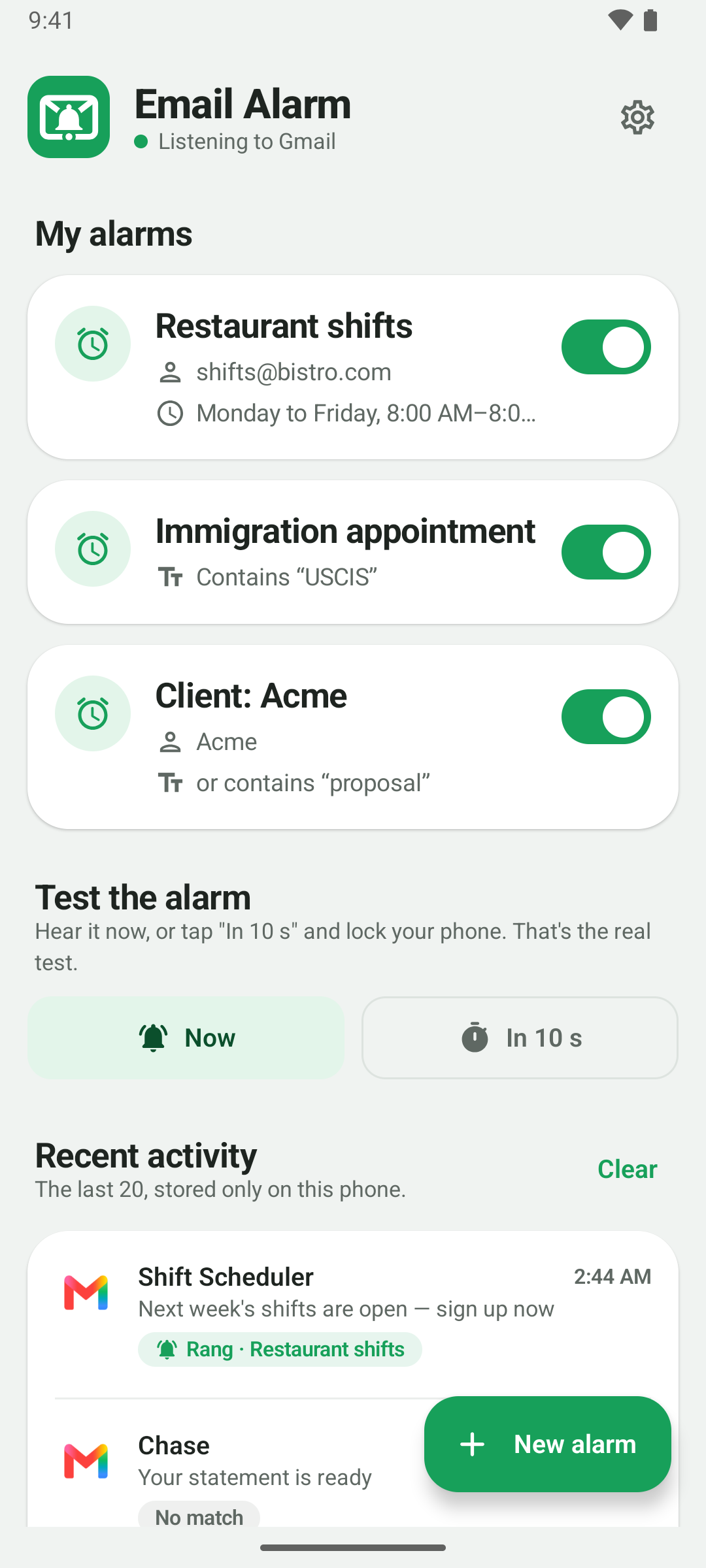
Email Alarm rings like a real alarm when an important email arrives — even with your phone on silent, locked, or in Do Not Disturb.
Coming soon to Google PlayFree for 30 days, then US$9.99 a year. Cancel anytime.
A normal notification is easy to miss.
An alarm isn't.
- Rings on silent
- Takes over the lock screen
- Cuts through Do Not Disturb
Same email. Two different mornings.
The shift sign-up email lands at 9:02. What happens next is up to your phone.
The email arrives. A small notification, phone in your pocket.
Still unseen, buried under other notifications.
You open it. The good shifts are gone.
The email arrives.
Your phone rings like an alarm, full screen.
You're signed up. First pick.
For the emails where minutes matter
Some emails can wait. These can't.
First-come shift sign-ups
The sign-up link arrives by email, and the best shifts are gone in minutes.
The email you're waiting on
Immigration, a visa, a job offer. You don't know when it lands or which address it comes from.
The customer who decides
When the deal is on the table, the first reply wins.
See it in action
Plain words, no settings maze.


Set it up in a minute
No account, no sign-in, no setup wizard.
Create a rule
A sender, a keyword, or both. If either one matches, it rings.
It watches your email apps
Gmail, Outlook and more — every account you already have on your phone.
It rings until you stop it
Full screen, over the lock screen, through Do Not Disturb.
Your email never leaves your phone.
Email Alarm reads the notifications your email app already shows and checks them right there, on your phone. It never logs into your email account and never sends your email anywhere. Its only connection is to Google Play, to check your subscription. No accounts, no ads, no tracking.
Good to know
What it needs to work, stated plainly.
-
Your email app has to be on the phone, with notifications on. If an account stops syncing, there's no notification to hear.
-
Emails that land in spam don't create a notification, so they can't ring either. For senders you don't know yet — an immigration office, a government agency — create a filter on the Gmail website with a word that will be in the email, and check “Never send it to Spam”. It works even if you don't know the address.
-
Outlook and some other apps only show the sender's name, not the address. For those, use the name or a keyword — the app tells you when a rule can't match.
-
Android only. iPhone doesn't let one app read another app's notifications, so this approach isn't possible there.